
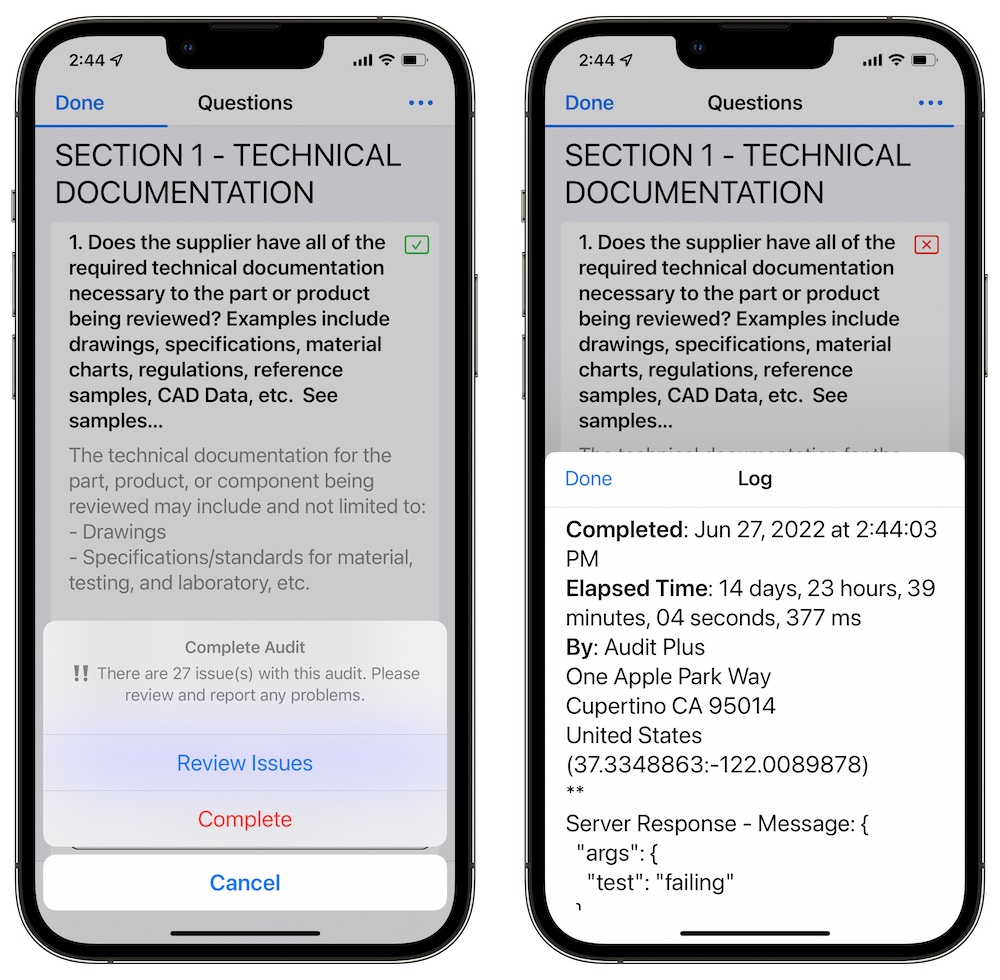
The following events occur during the completion process:
-
If Delete Template Media is checked, then all media included in audit or test from the template shall be removed.
Media inserted while conducting an audit or test will not be removed.
-
If there are Server Requests they will be run sequentially. If you have asked for data for a request, the process will be paused until entered.
-
A Log is raised with further details. These details may include responses from server requests.
-
Finally, the audit or test is placed in a completed status. All answers will be disabled.
-
If Send PDF Report was enabled in the template, an email composer with the exported PDF version attached shall be ready to send.