
Audit Plus provides a comprehensive template editor for creating audit templates. Templates serve as the foundation for all audits performed in the app.
Getting Started
To create a new template:
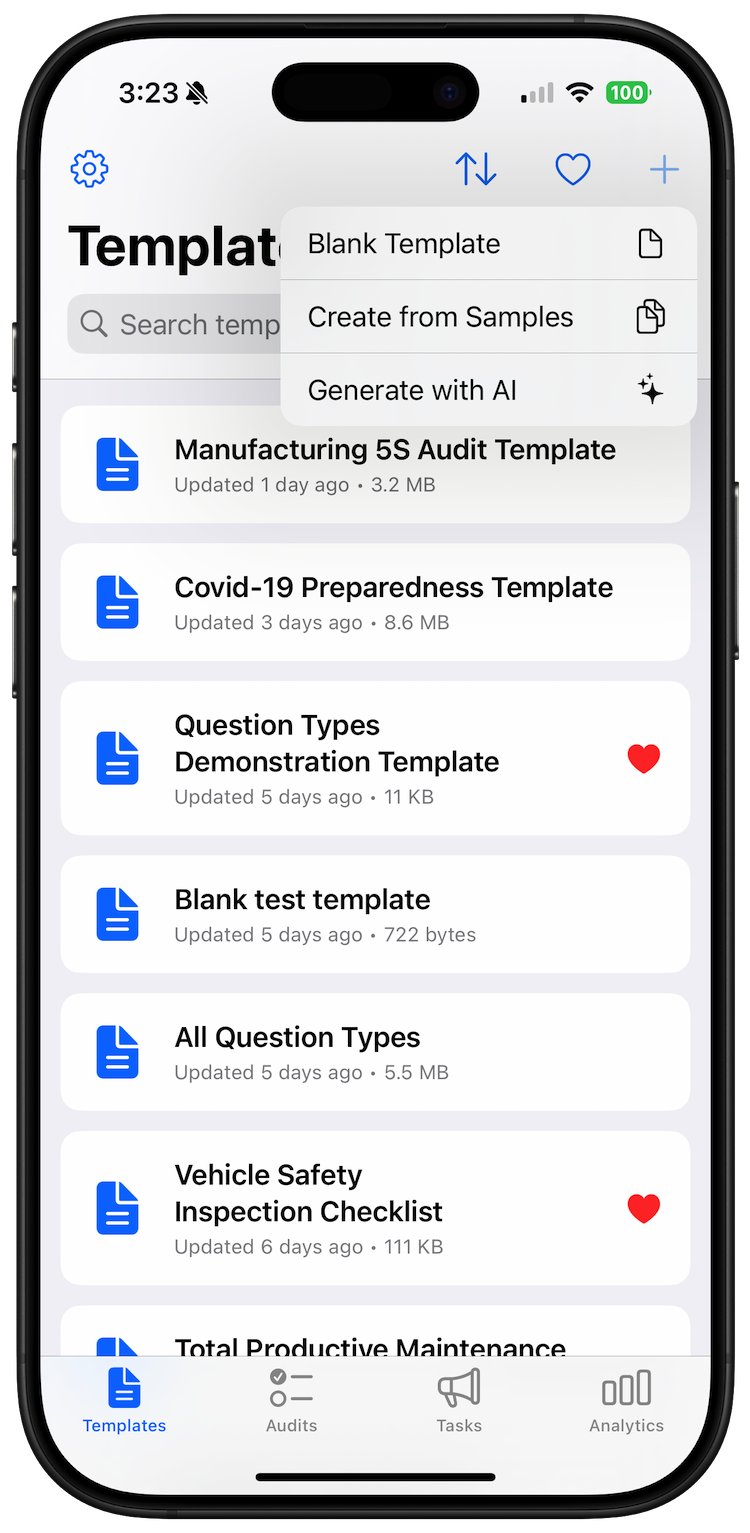
- Tap the plus button (+) in the Templates screen to display the creation menu.
- Choose from three template creation options:
Template Creation Options
1. Blank Template
- Creates a completely empty template
- You’ll be prompted to enter a template name
- Optionally specify a version number (defaults to 1.0)
- Best for creating custom templates from scratch
2. Create from Samples
- Browse a library of pre-built sample templates
- Choose from various industry-standard templates
- Customize the selected sample to meet your specific needs
- Ideal for getting started quickly with proven template structures
3. Generate with AI
- Use artificial intelligence to create templates from natural language descriptions
- Simply describe what kind of audit you need
- AI generates a complete template with appropriate questions and sections
- Requires API key configuration (Anthropic, OpenAI, or Google AI)
- If no API key is configured, you’ll be directed to AI settings first
Template Creation Process
- Name Your Template - Enter a descriptive name that clearly identifies the template’s purpose
- Set Version - Specify a version number to track template iterations (optional)
- Tap Create - The template will be created and saved
- Template Editor Opens - You’ll be automatically taken to the template editor to begin customizing your template
After Creation
Once your template is created, the template editor launches automatically, allowing you to:
- Add sections and questions
- Configure compliance thresholds
- Set up custom properties
- Define completion actions
- Add password protection if needed
Templates are automatically saved as you work, ensuring no progress is lost. The template will sync across all your devices via iCloud.