
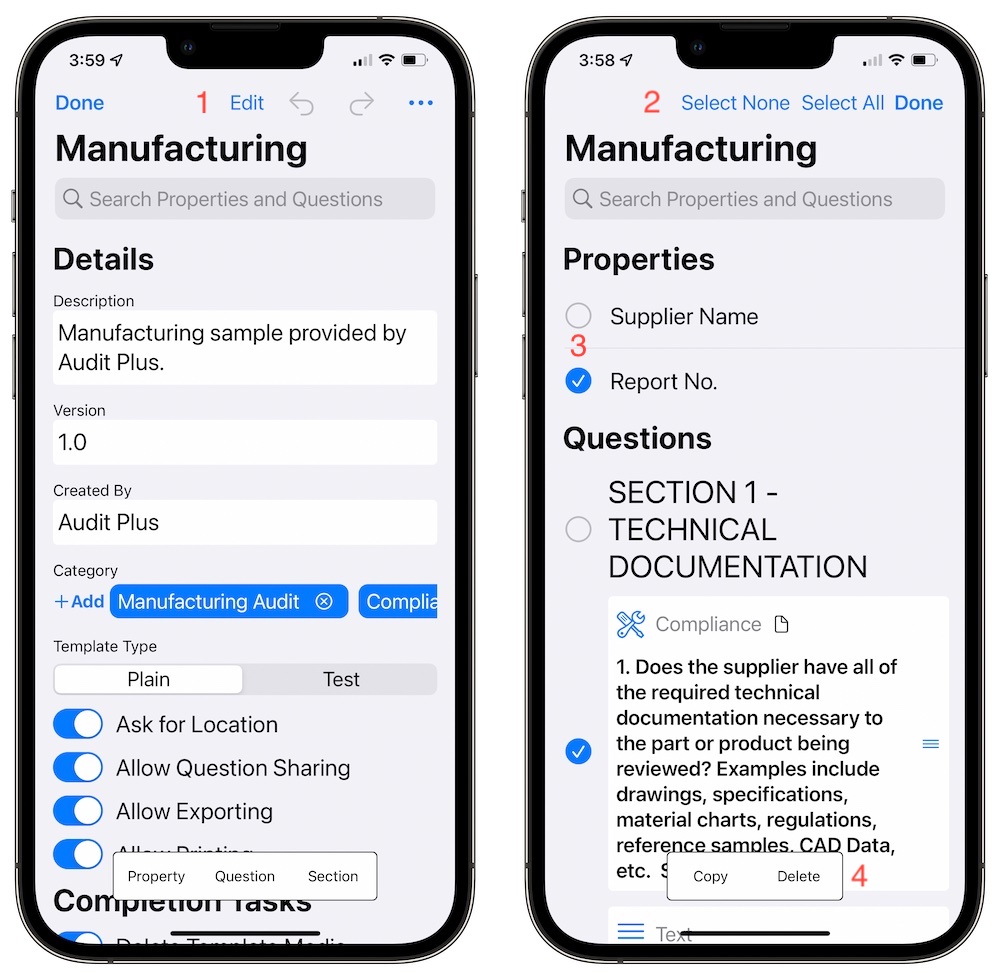
- Tap the Edit button to enter in edit mode. The top two sections will be removed from the screen to work with the properties and questions sections.
- The Edit button is removed and replaces by Select None, Select All and Done. Use these buttons to select all the items, or none and finish editing the template.
- Use the radio buttons to select items to work with.
- The floating toolbar options are replaced by Copy and Delete. When you copy questions, sections or properties and copy option is added to the floating toolbar when editing is complete.
Atop the navigation bar there is an edit button. There are actions that can be done on properties, sections and questions while editing.
Next guide
Locking Templates