
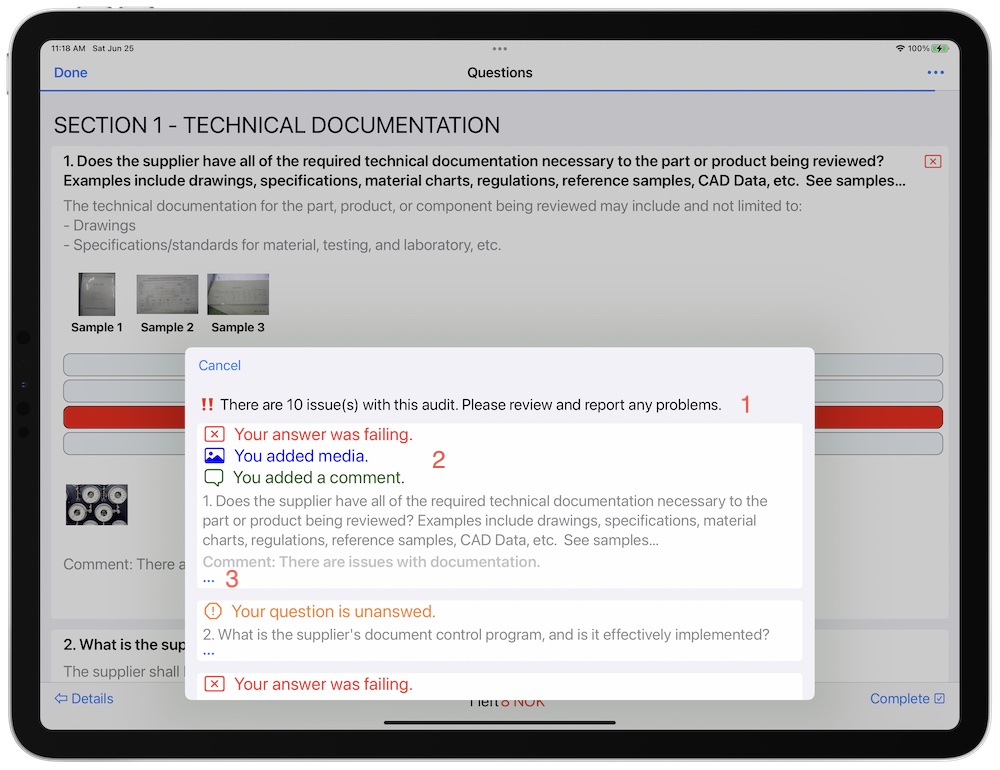
- The description explains the amount of issues.
- There are several types of issues that may occur when taking audits and tests.
 Your answer was failing. (Audits)
- Incorrect Answer. (Tests)
 You added media.
 You added a comment.
 Your question is unanswered.
- The … button opens a menu (You may also long press on the issue to open it). The menu contains a variety of functionality.
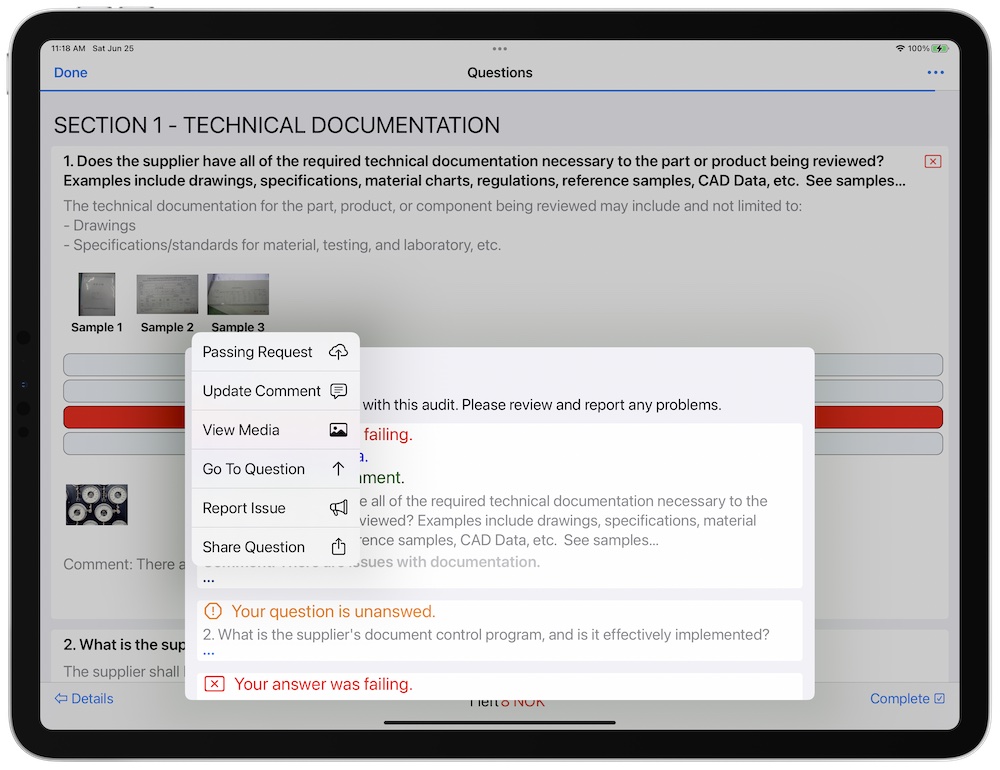
- The first menu item, was REST based server request we added to the template. We titled the request, “Passing Request”. By selecting this item, a server request will be run. Learn more about Server Requests.
- Update Comment: Will launch the comment editor for you to edit the current comment. This will only appear if the user added a comment.
- View Media: Will launch the media editor. This will open appear if media was added.
- Go to Question: Will dismiss the issues navigator and scroll you directly to the question.
- Report Issue: Will launch the issue reporter.
- Share Question: If question sharing has been approved in the template, this option will be available.