Create Audit Action
Audit Plus adds a Create Audit action to Apple’s Shortcuts app. It takes a template and an optional Conducted By name, then opens Audit Plus and starts the audit — one tap from anywhere. Learn more about Apple’s Shortcuts.
To set it up, open the Shortcuts app, tap + to create a new shortcut, search for Audit Plus, and choose Create Audit. Pick the template you want, and optionally fill in Conducted By so every audit is pre-stamped with the inspector’s name. Templates stored on your device appear in the template picker.
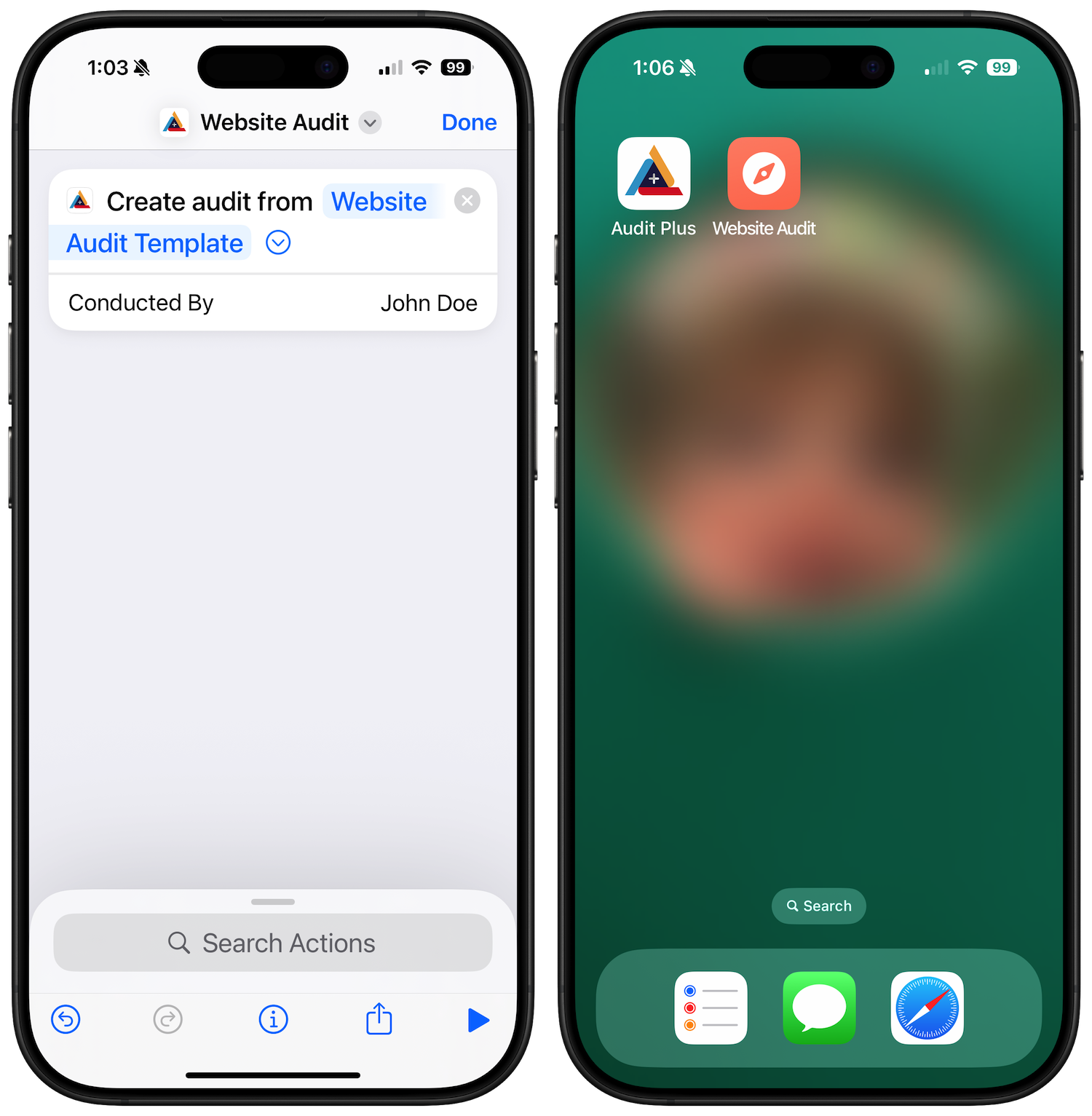
Once saved, your shortcut can live on the Home Screen as its own icon — tap it and Audit Plus opens straight into a fresh audit from that template. Siri also learns from your usage and can suggest the action at the right moment.
Home Screen Quick Actions
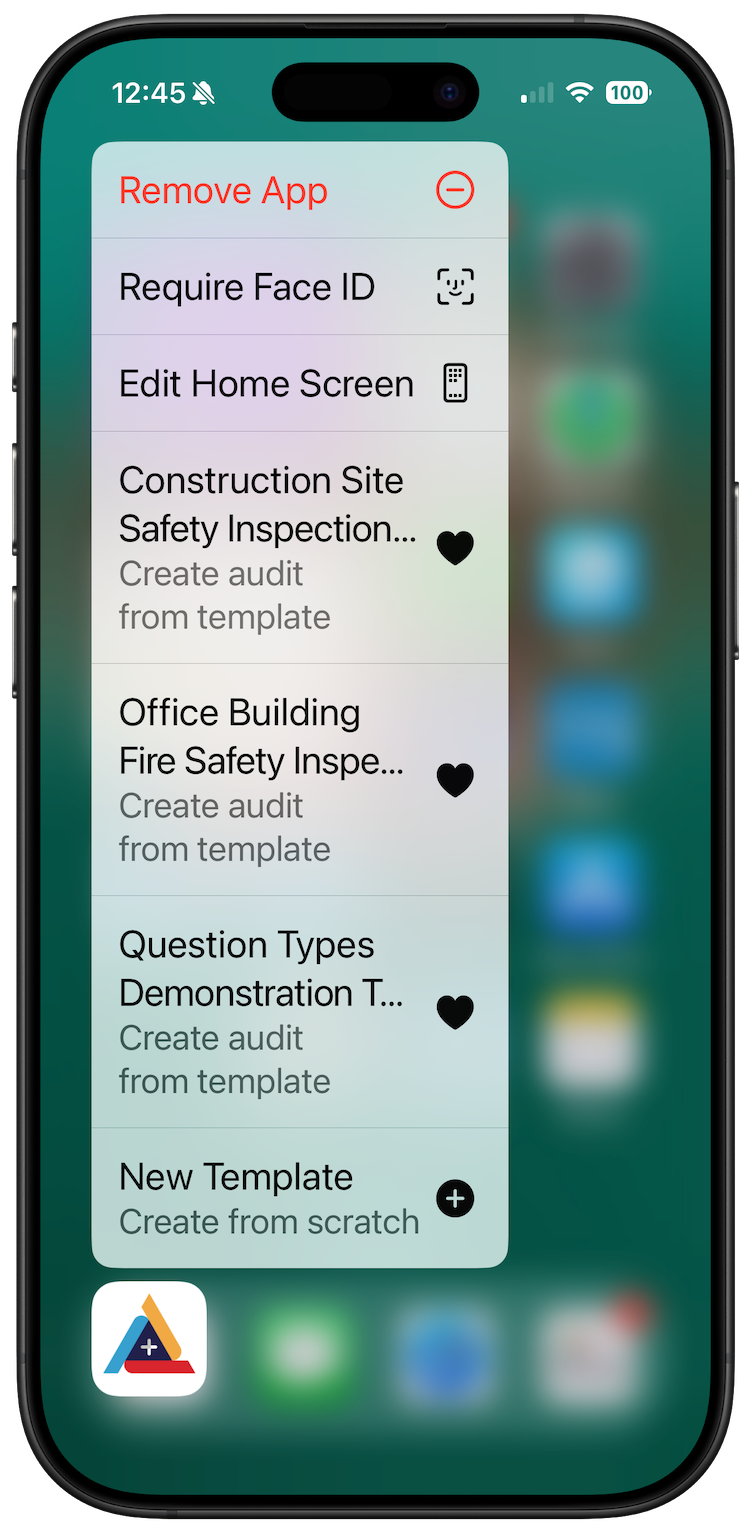
No shortcut required: long press the Audit Plus icon to reveal quick actions. You’ll see New Template plus your most recent favorite templates — choose one to jump straight into a new audit. Favorite a template in your library and it appears here automatically. Learn more about Quick Actions.