
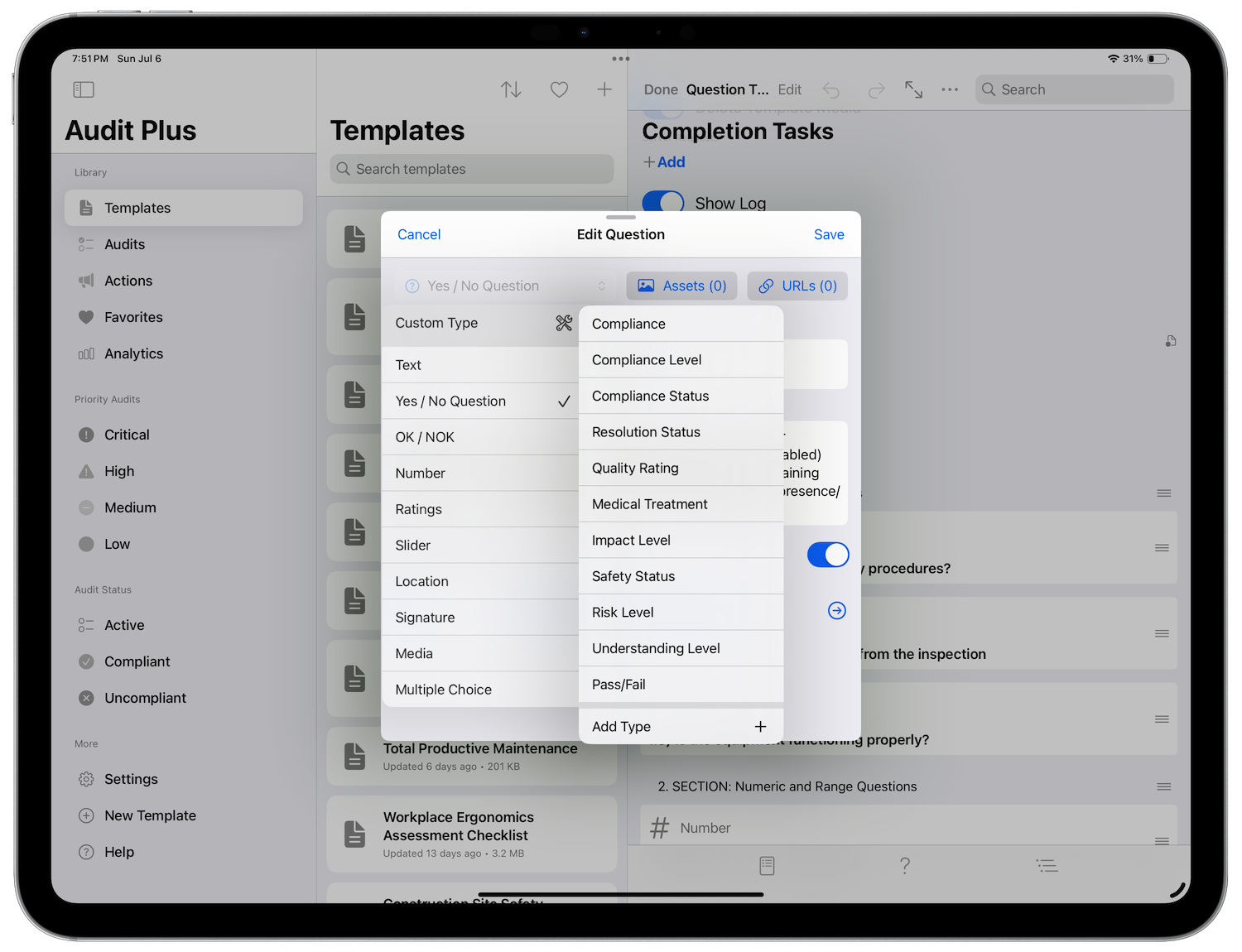
We’ve added our Compliance type as an example. We chose Compliant as the passing response, and Non Compliant as the failing response. You can enter as many as you like, but only one can fail. To add a new type, tap the + button in the menu to bring up the custom type editor.
Add a name of your custom type. Then enter the responses and select a failing response. Finally tap save or update to finish. Custom types are saved, so that you reuse them. They are also available in app’s settings for you to manage.
If another user has created a template with custom types, they can imported into your own if the Import switch is selected. It is turned off by default.